
Phonics Free2.2 - App Store
You'll be able to see results in few seconds.
Publisher Description
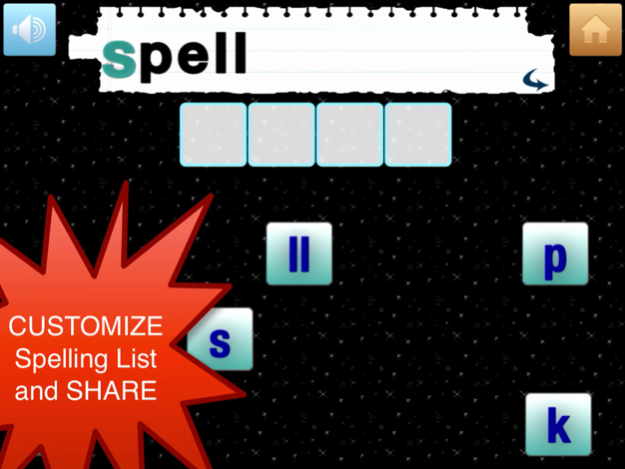

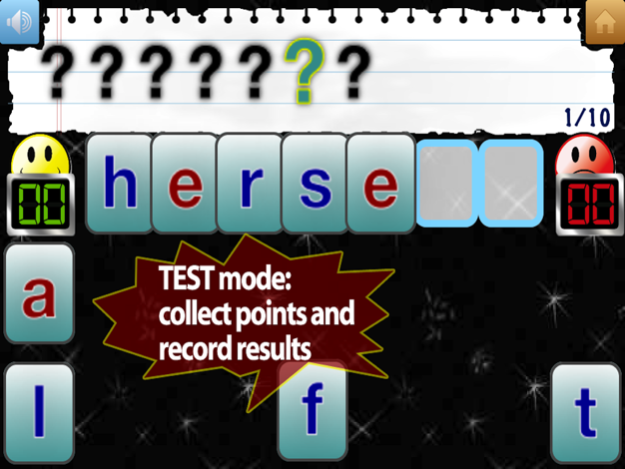
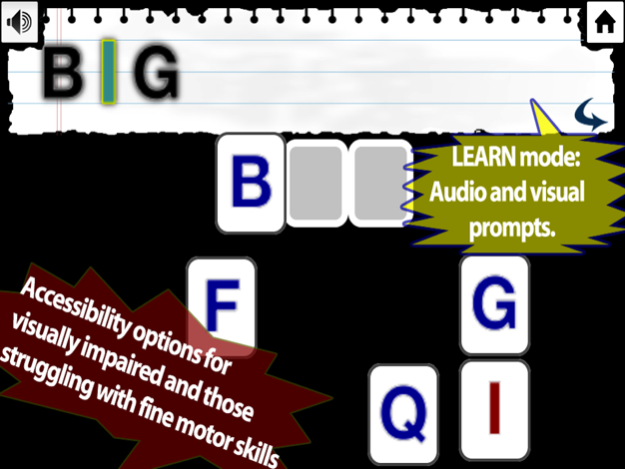
► option for custom-made PHONICS spelling lists
► HISTORY follows progress for individual students
► focus on identifying sounds of letters (North American phonemes )
► audio and/or visual prompt
► PROFESSIONAL narration or child’s narration
► optional Montessori-style color coding vowels and consonants
► upper or lower case letters
► Multiple Word Lists
► three modes: Learn, Practice and Test (quiz)
► ACCESSIBILITY options to for VISUALLY impaired and those struggling with fine motor skills
► option of custom made features for special needs students
► child proof SETTINGS button (press&hold)
► narration of phonemes based on Peter Ladefoged's studies in Phonology with emphasis on American English
Oct 10, 2015
Version 2.2
This app has been updated by Apple to display the Apple Watch app icon.
* Five fun educational games added for students to practice spelling
@Reks would like to thank all the teachers and parents for their support and helpful feedback. Making our apps work for every student is our top priority!
About Phonics Free
The company that develops Phonics Free is @Reks. The latest version released by its developer is 2.2.
To install Phonics Free on your iOS device, just click the green Continue To App button above to start the installation process. The app is listed on our website since 2015-10-10 and was downloaded 0 times. We have already checked if the download link is safe, however for your own protection we recommend that you scan the downloaded app with your antivirus. Your antivirus may detect the Phonics Free as malware if the download link is broken.
How to install Phonics Free on your iOS device:
- Click on the Continue To App button on our website. This will redirect you to the App Store.
- Once the Phonics Free is shown in the iTunes listing of your iOS device, you can start its download and installation. Tap on the GET button to the right of the app to start downloading it.
- If you are not logged-in the iOS appstore app, you'll be prompted for your your Apple ID and/or password.
- After Phonics Free is downloaded, you'll see an INSTALL button to the right. Tap on it to start the actual installation of the iOS app.
- Once installation is finished you can tap on the OPEN button to start it. Its icon will also be added to your device home screen.
Version History
version 2.2
posted on 2015-10-10
Oct 10, 2015
Version 2.2
This app has been updated by Apple to display the Apple Watch app icon.
* Five fun educational games added for students to practice spelling
@Reks would like to thank all the teachers and parents for their support and helpful feedback. Making our apps work for every student is our top priority!
version 2.2
posted on 2015-10-10
Oct 10, 2015 Version 2.2
* Five fun educational games added for students to practice spelling
@Reks would like to thank all the teachers and parents for their support and helpful feedback. Making our apps work for every student is our top priority!
version 2.2
posted on 2013-05-17
version 2.2
posted on 1970-01-01
10 de Out de 2015 Version 2.2
* Five fun educational games added for students to practice spelling
@Reks would like to thank all the teachers and parents for their support and helpful feedback. Making our apps work for every student is our top priority!
Disclaimer
Official App Store Link
We do not host Phonics Free on our servers. We did not scan it for viruses, adware, spyware or other type of malware. This app is hosted by Apple and passed their terms and conditions to be listed there. We recommend caution when installing it.
The App Store link for Phonics Free is provided to you by apps112.com without any warranties, representations or guarantees of any kind, so access it at your own risk.
If you have questions regarding this particular app contact the publisher directly. For questions about the functionalities of apps112.com contact us.
